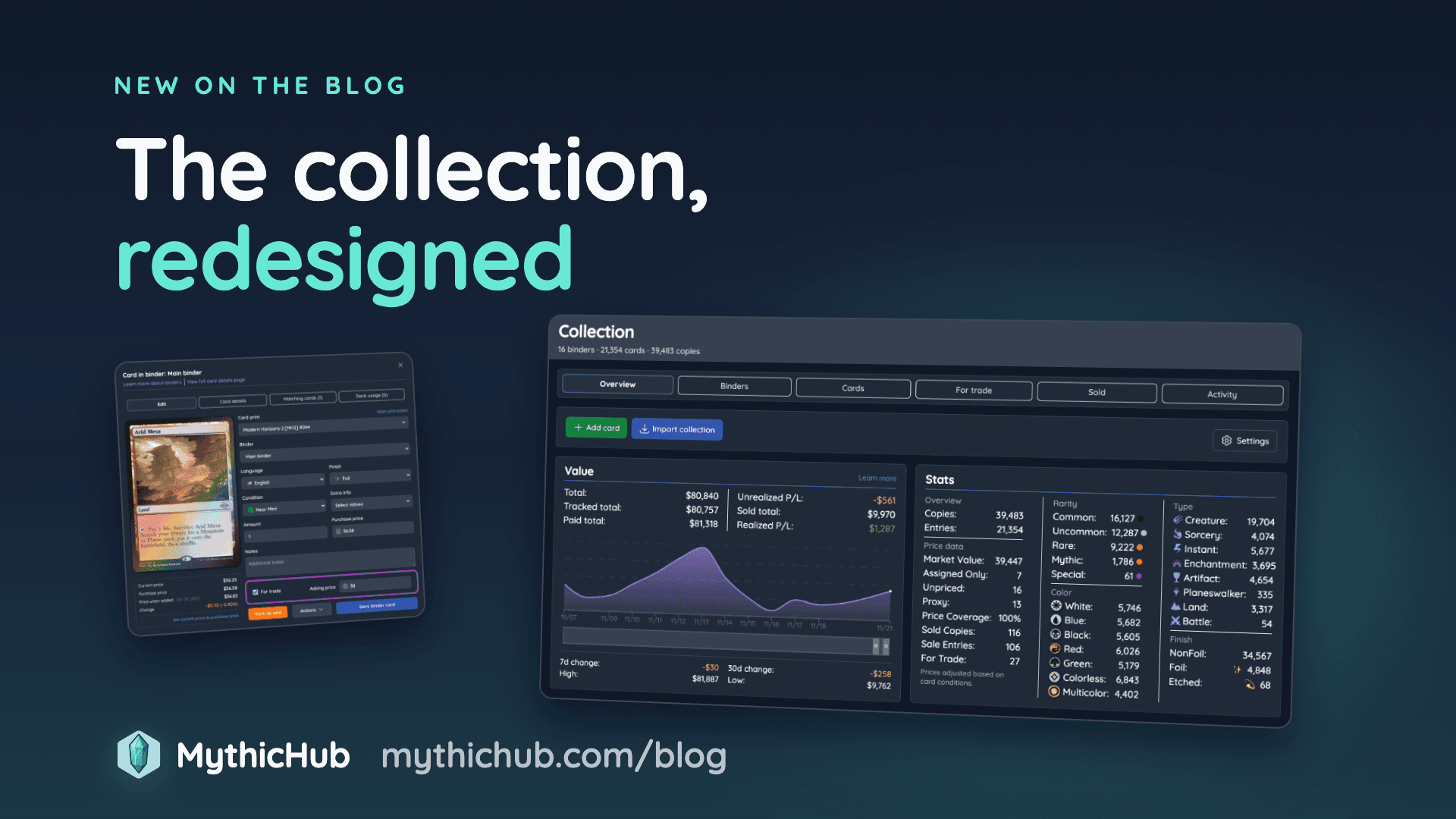
Collection Redesign

The collection redesign is live! All your cards are now in one collection, and binders are optional. The Collection page has tabs for every part of it: an overview, all your cards, your binders, cards for trade, sold cards and a log of every change. Tradelists are going away, because a card you want to trade is now just a card in your collection with For trade ticked.
If you want to read more about why I redesigned the collection, there is a separate post on Patreon.
What's new
- binders are no longer tied to one marketplace
- a new overview with your collection's value, price movers, recently added cards and set completion
- binders are optional, so a card can be in your collection without one
- one list of all your cards, with a Binder filter
- For trade is now a switch on the card, with an optional asking price
- sold cards and history cover the whole collection
- collection settings for condition pricing, sharing and export
- a new Since you got it price change for your own cards
Binders and marketplaces
Until now every binder had its own marketplace, and the marketplace switcher at the top of the page worked everywhere except binders. Now binders work the same way as wishlists. Prices, values and value charts follow the marketplace you pick, so you can switch between TCGplayer, Cardmarket, Mana Pool and Card Kingdom at any time to compare them.
To make all of these changes possible, I decided that the collection will support only paper cards from now on, so Arena and MTGO binders are gone.
Overview
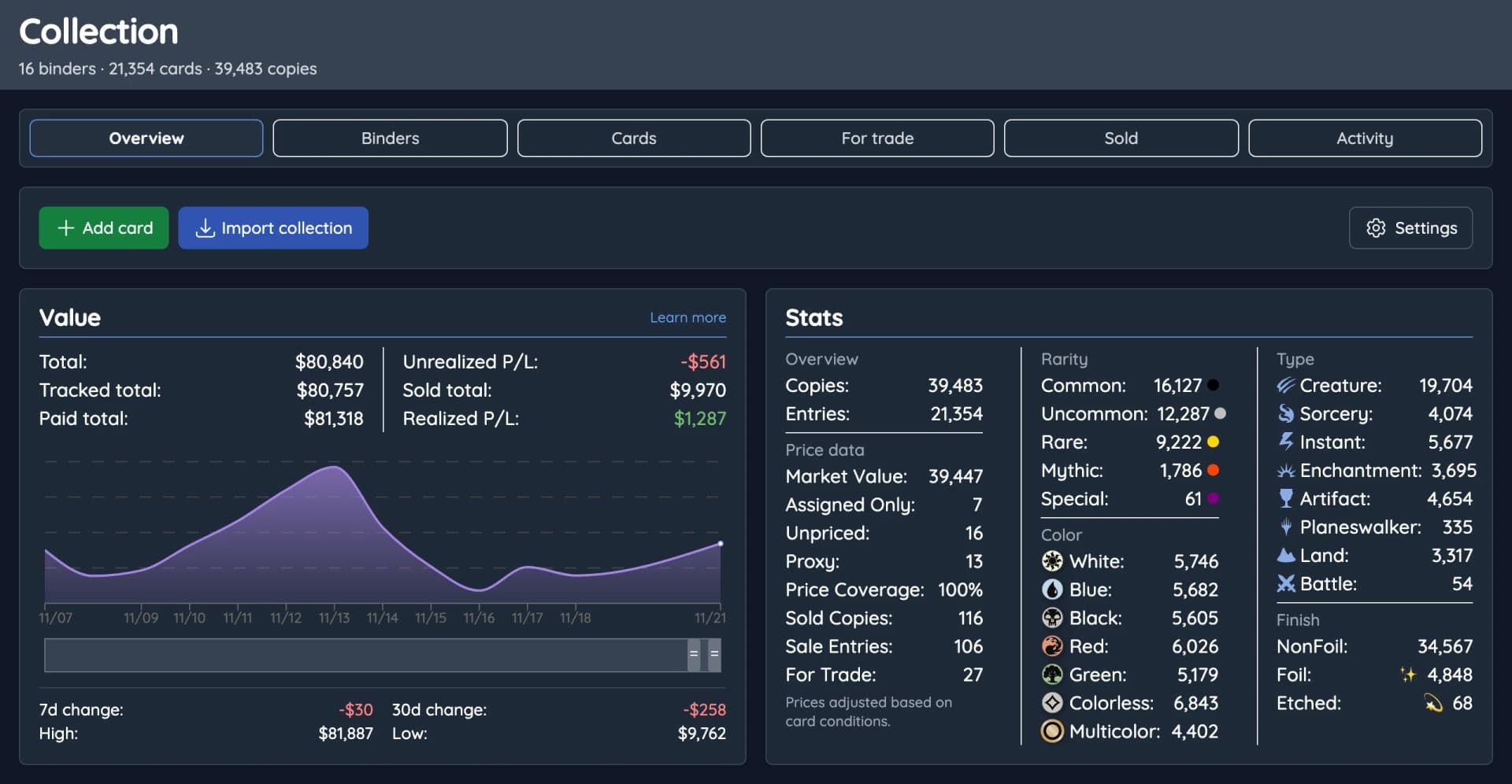
Collection now opens on the overview, which looks at your whole collection at once. At the top you have the value and stats for every card you own, in the marketplace you picked. Clicking a number in the stats, like your unpriced cards or proxies, opens your cards with that filter.
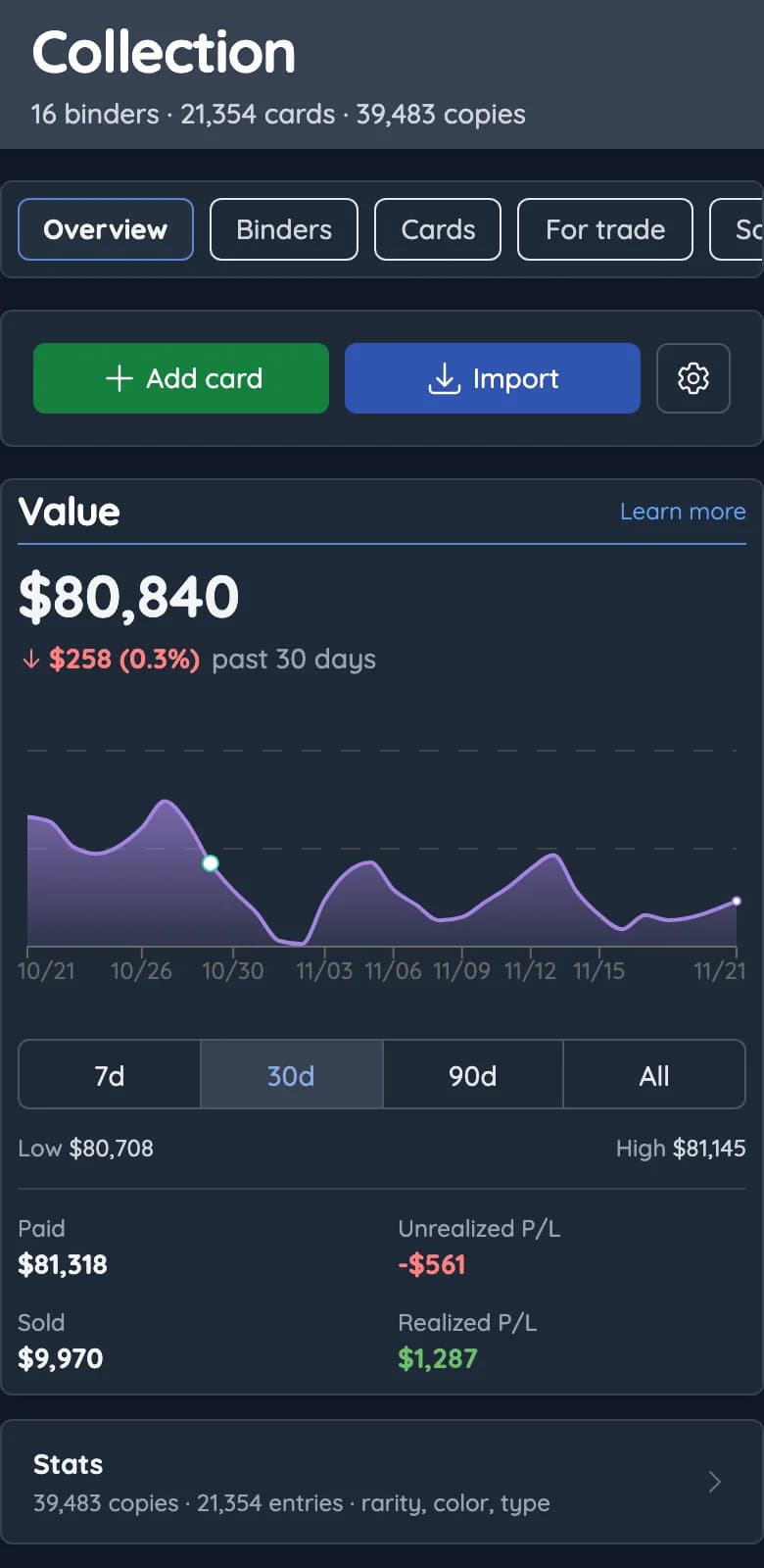
Below that you can see which of your cards went up and down the most in the last day, week, month or quarter, the cards you added last, and the sets you are closest to completing. Set completion is only a first step for now. I plan to turn it into its own feature for tracking your set collecting in the near future.
Binders are optional
You don't have to use binders anymore. A lot of people just want one list of their cards, and that works now. You can add, import, quick add, move and copy cards with No binder. If you like your binders, nothing changes for you.
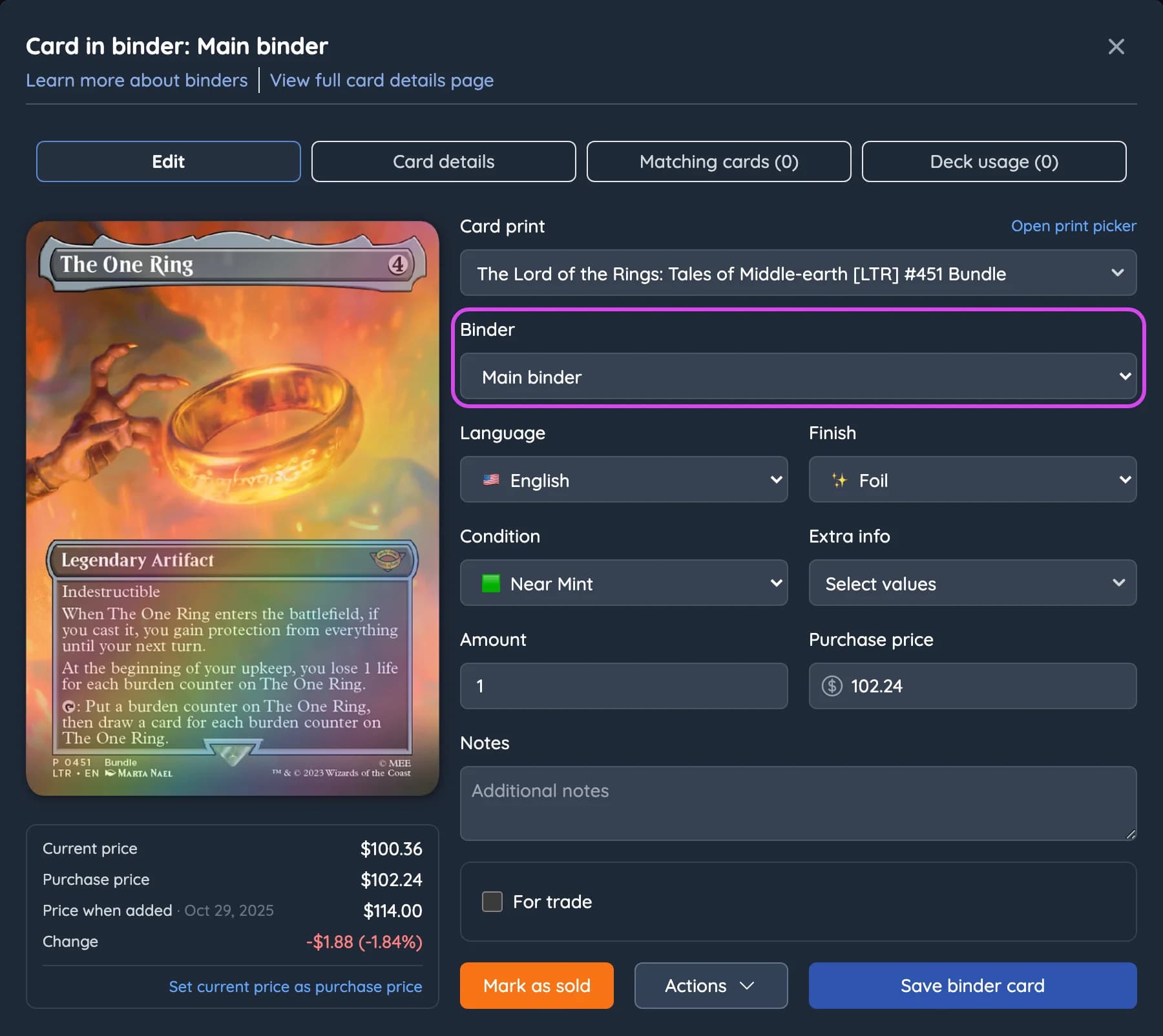
The card dialog has a new Binder field. Change it when editing a card to move it to another binder, or pick the binder before you add a new card.
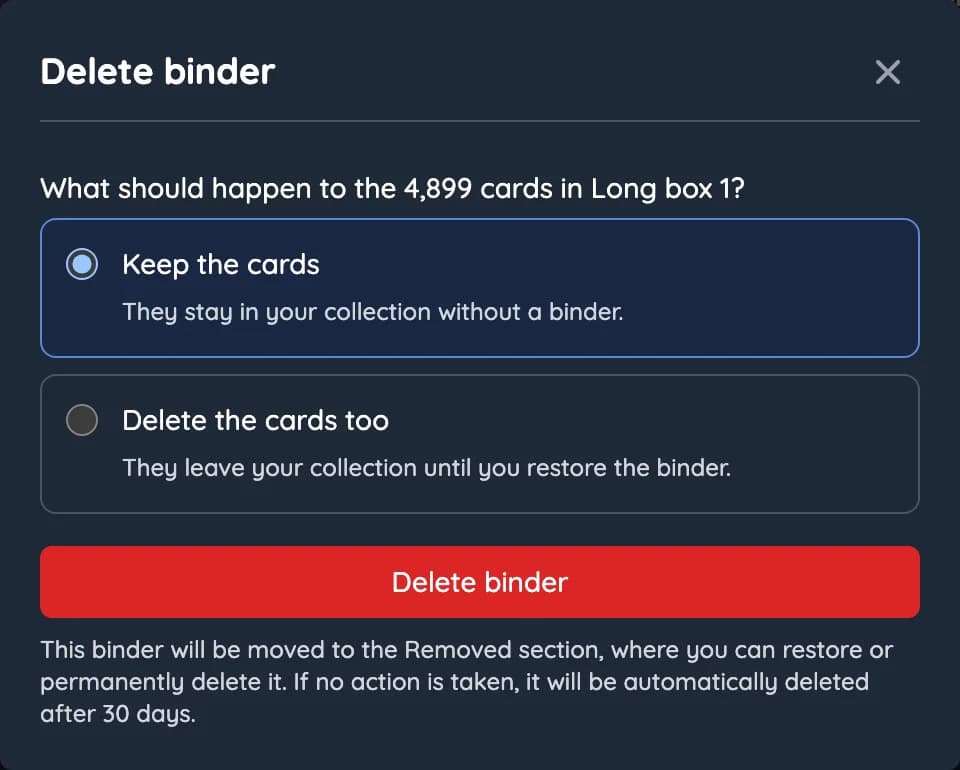
When you delete a binder that has cards in it, you now choose what happens to them. Keep the cards leaves them in your collection without a binder, and Delete the cards too removes them with the binder. You can still restore a deleted binder for 30 days.
Cards
The Cards tab lists every card in your collection. Binders work like any other filter here: pick one binder, a few of them or No binder. Each card shows which binder it's in, and bulk edit and export work across binders. Clicking a binder on the Binders tab opens Cards filtered to that binder.
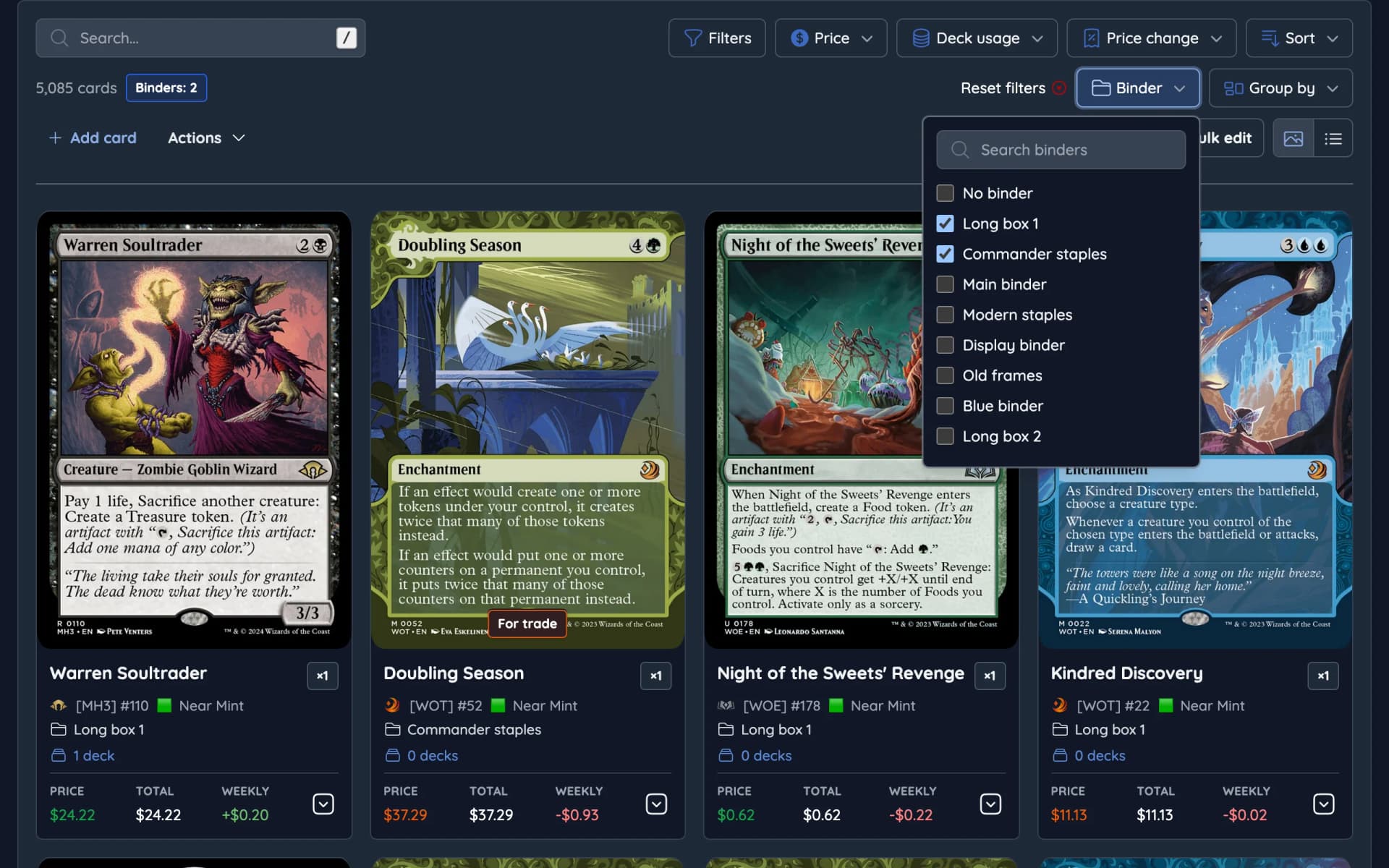
Because the Binder filter can show several binders together, combined binder views are gone. Old links to a combined view open the Cards tab, filtered to its binders when the link has them.
For trade
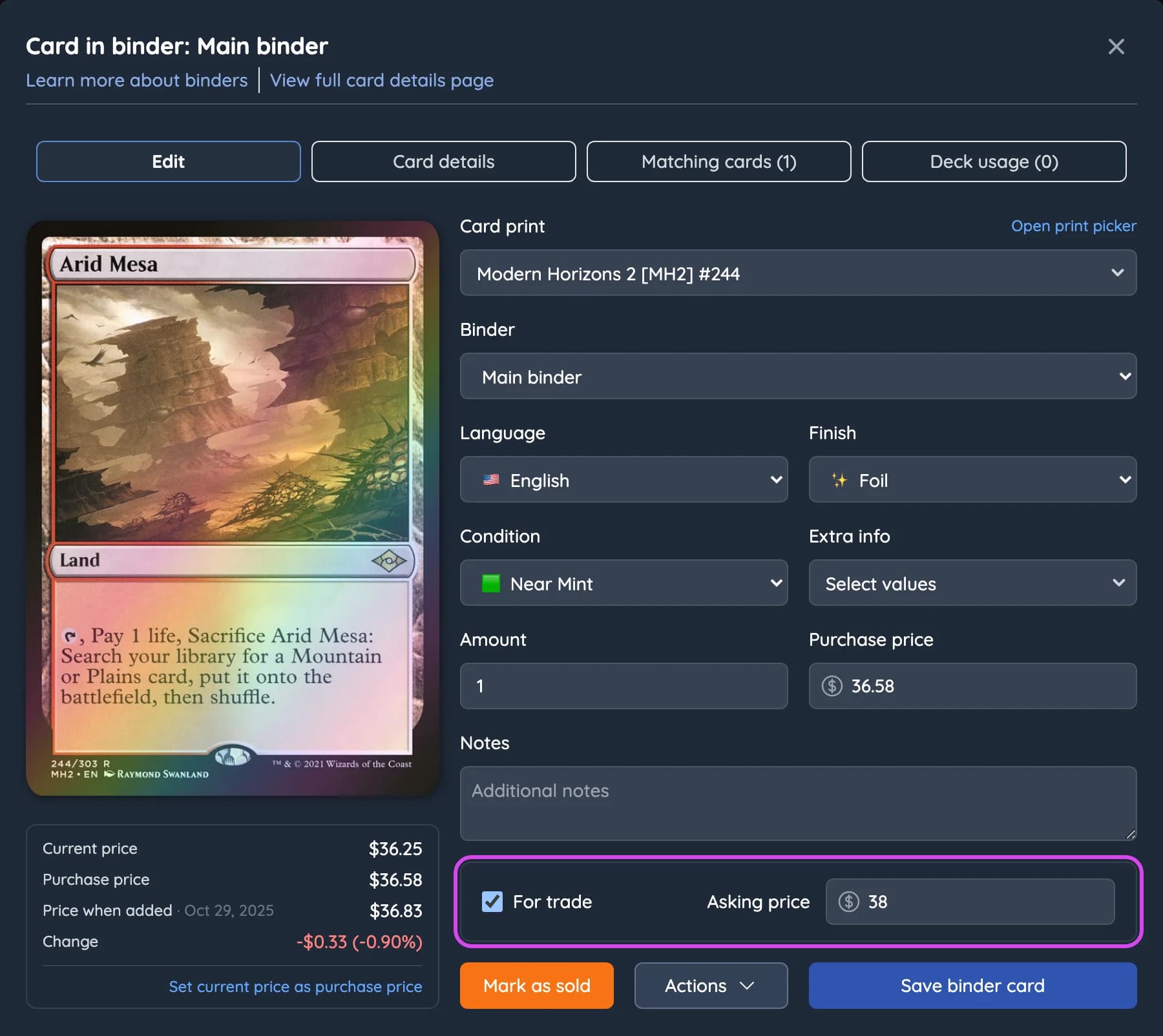
To offer a card for trade, open it and tick For trade. It covers every copy in that entry, so if you want to trade only some of them, lower the amount and add the rest as a separate entry. You can set an asking price per copy, and without one the market price is used. Proxies can't be for trade.
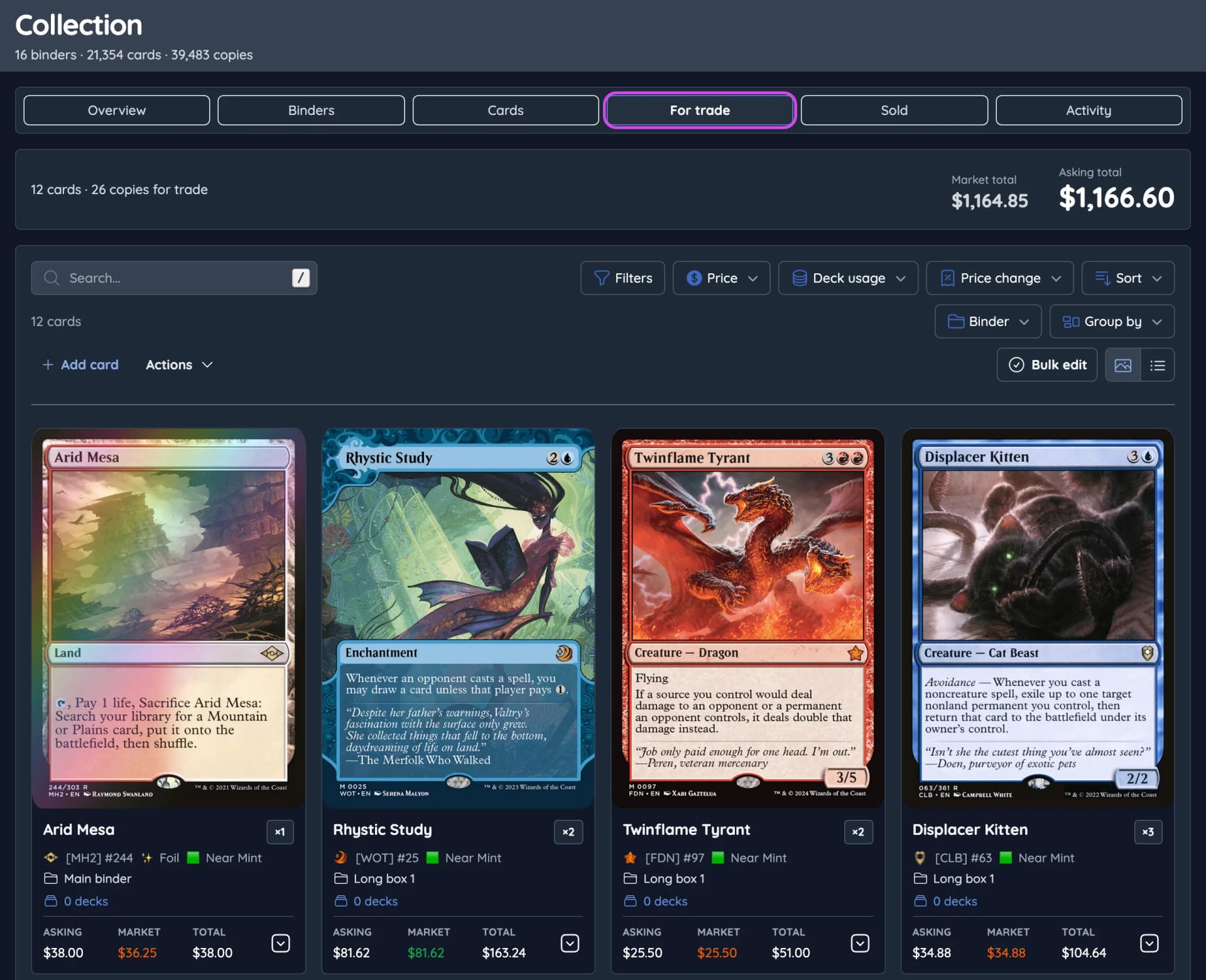
Cards for trade are still your cards. They count once in your collection value and in deck coverage, and the coverage tooltip tells you how many of them are for trade. The For trade tab lists them with their market and asking totals.
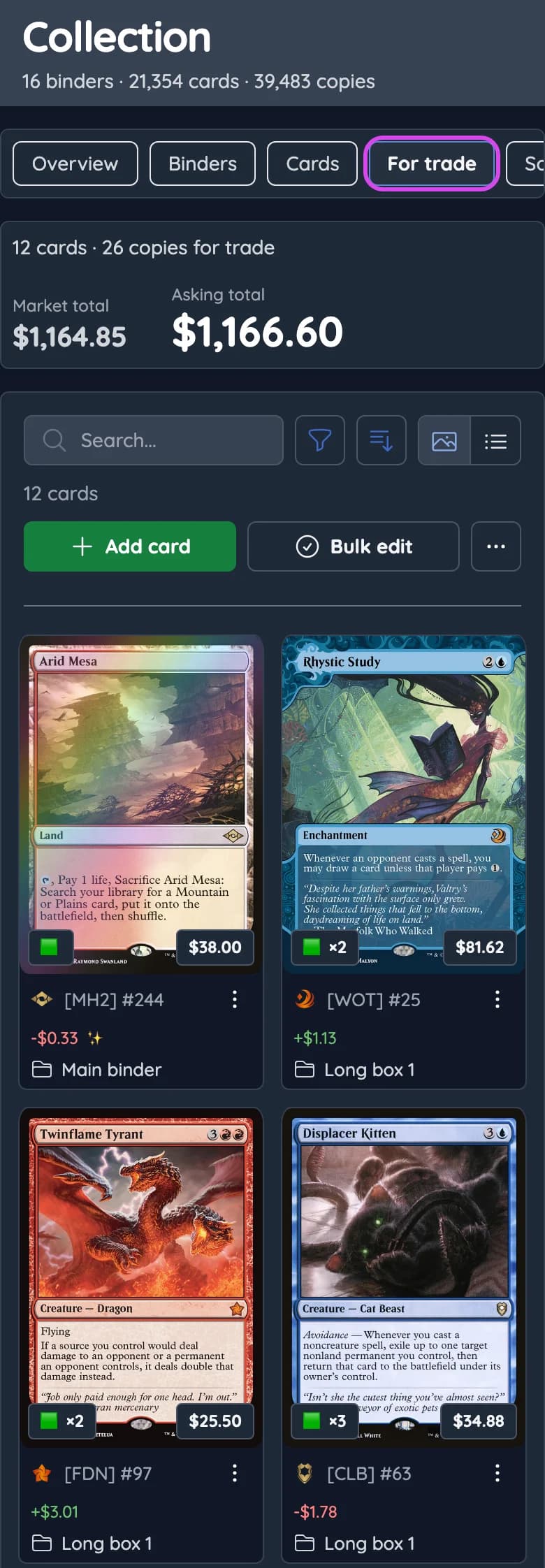
Other players see the For trade badge and your asking price wherever they can already see your cards, and your profile has a new For trade tab. Your purchase prices are never shown to anyone.
Your tradelists
I can't tell what the cards in your tradelists are. They could be extra copies or the same cards you also have in a collection binder. So every tradelist waits on the For trade tab until you decide. Until then nothing changes: its cards don't count toward your collection value and its link keeps working. Click Decide what to do and pick one of three answers:
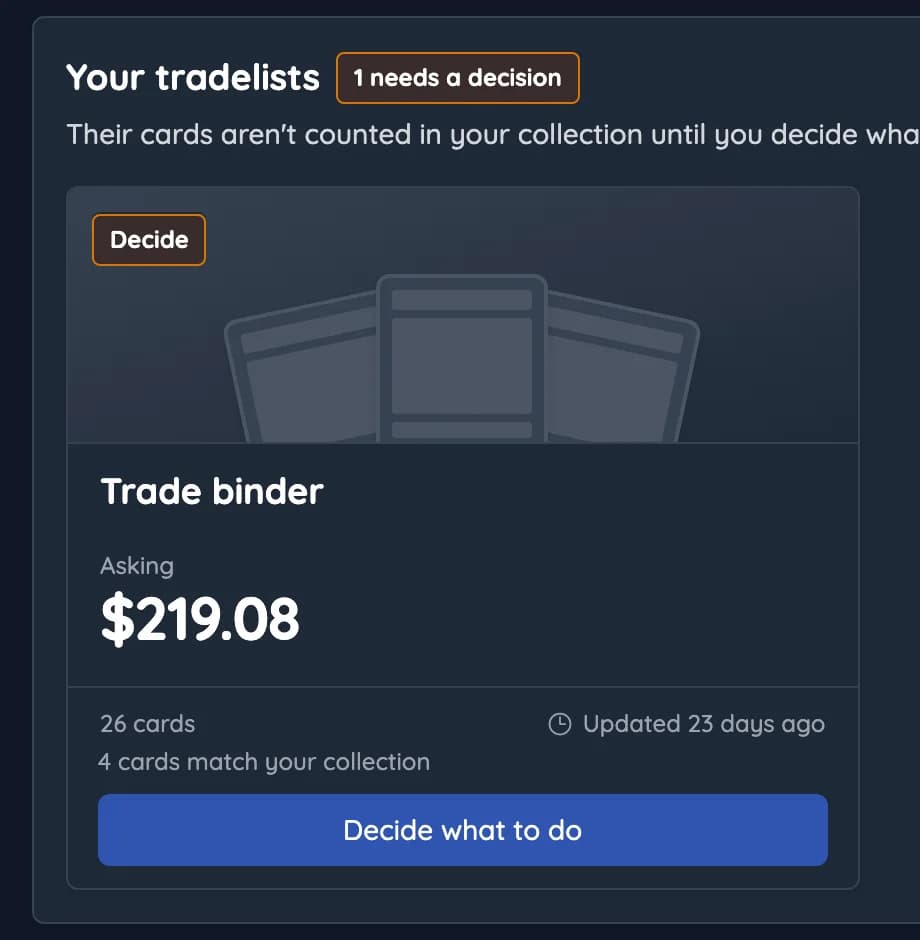
- These are extra cards I want to trade. The tradelist becomes a normal binder with the same name, and its cards are for trade with their tradelist price as the asking price.
- These are cards I already have in other binders. Each card is matched with the same card in your collection: same printing, finish, language, condition, extra info and amount. The matched card gets marked for trade where it is and the tradelist copy is removed, so nothing counts twice. Cards without a match stay in the binder, marked for trade.
- I don't need this tradelist any more. The tradelist and its cards are deleted.
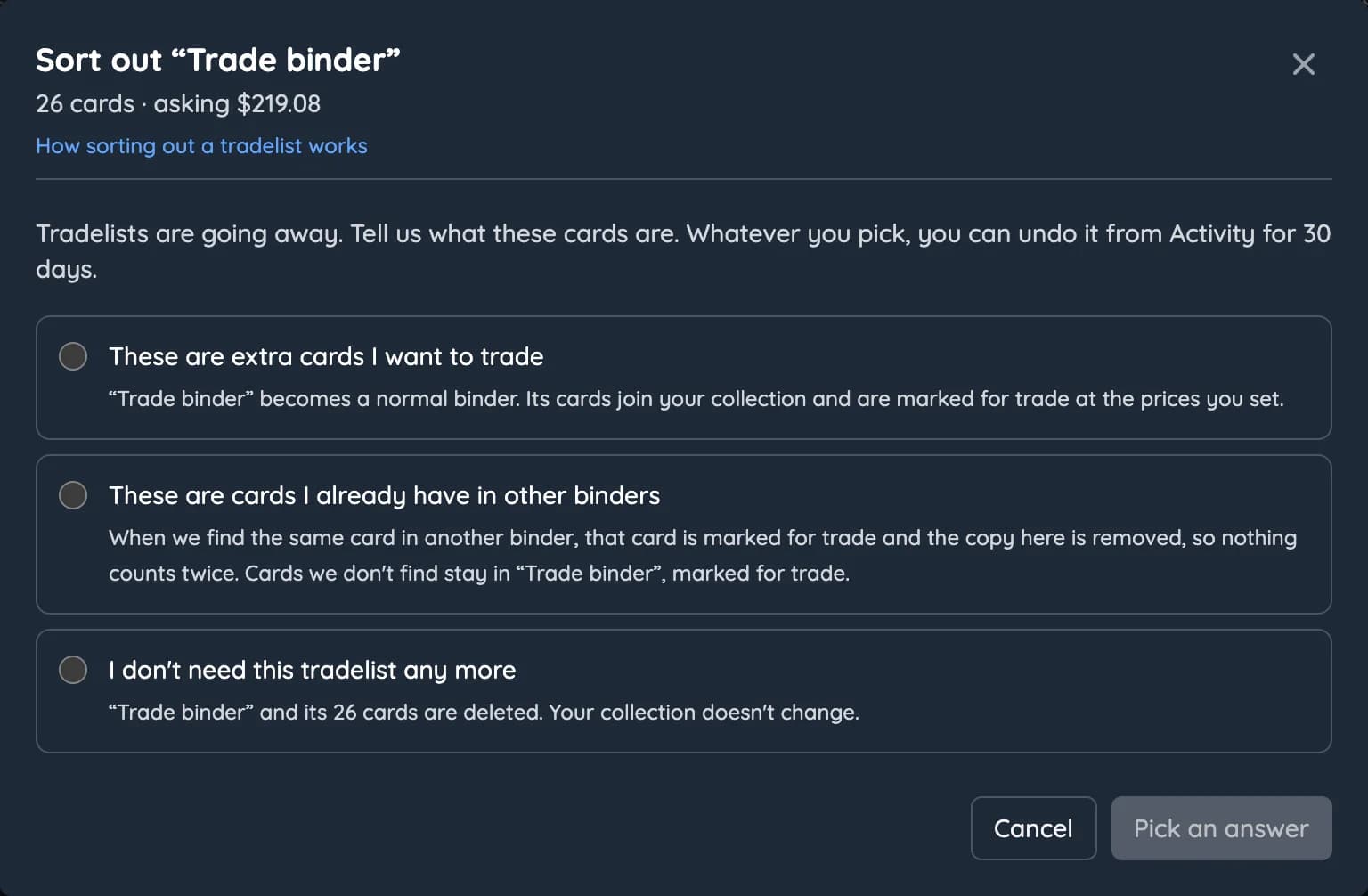
Whatever you pick, you can undo it for 30 days from the Activity tab. Empty tradelists were turned into normal binders, since there was nothing to decide.
Sold
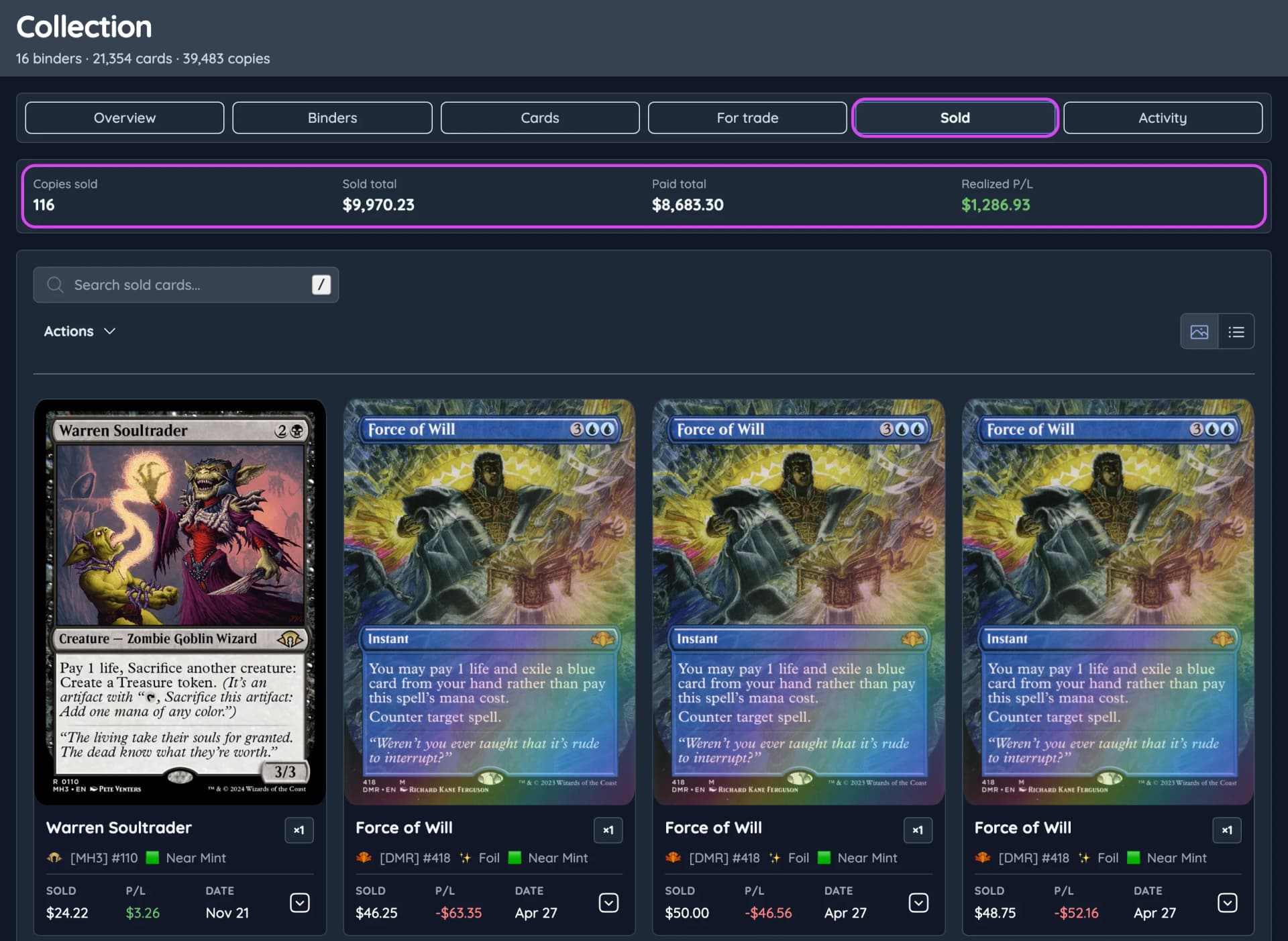
Sold cards belong to the whole collection now, not to one binder. The Sold tab shows how many copies you sold, the sold and paid totals and your realized P/L, and the Overview shows the same totals. If you delete a binder, its sales stay. Export and import of sold cards moved to the Sold tab.
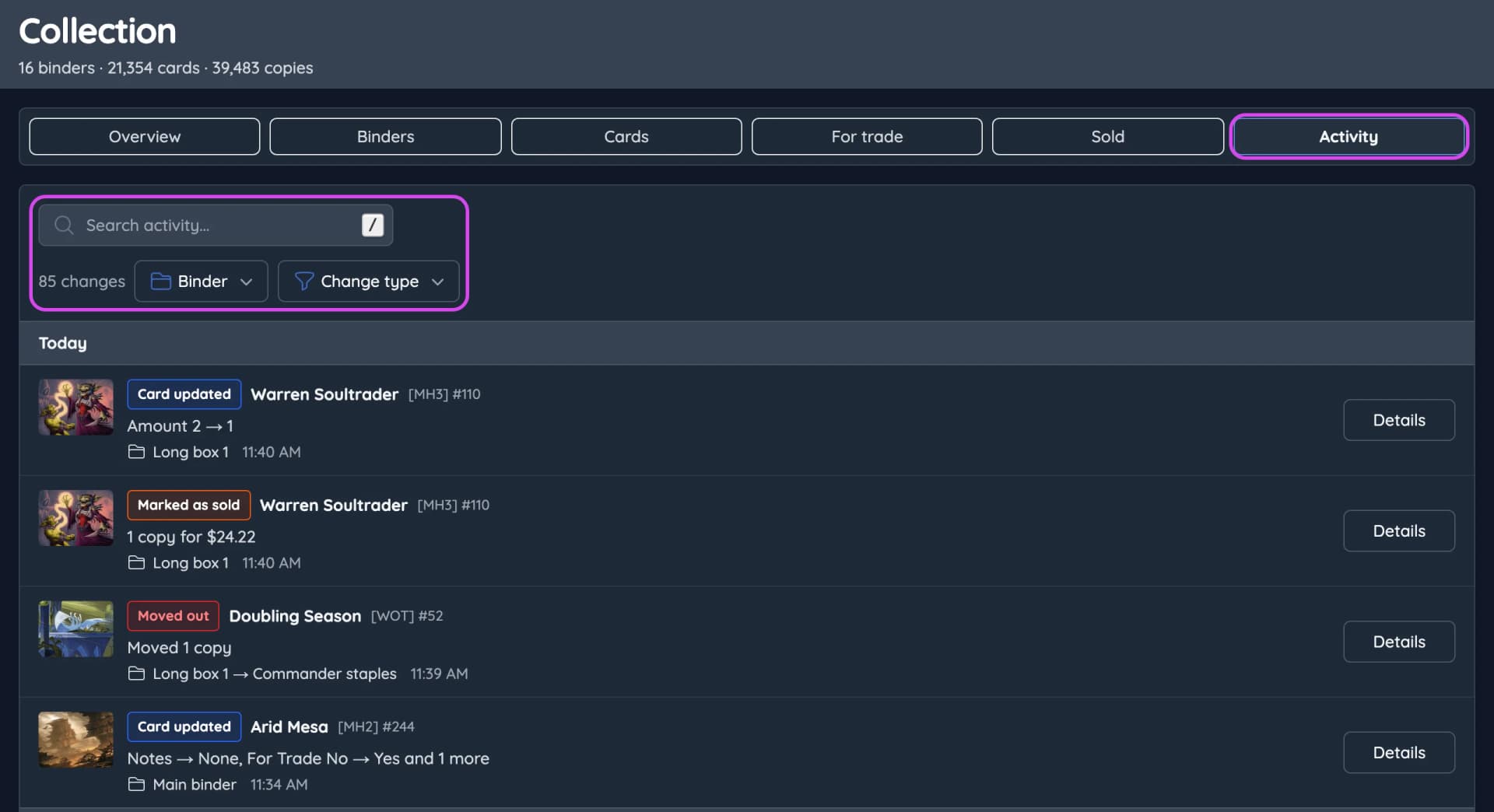
Activity
Binder history is now one Activity feed for the whole collection, grouped by day. You can filter it by binder or by type of change, or search for a card. Deleted binders can be restored from here, and old binder history links open Activity filtered to that binder.
Collection settings
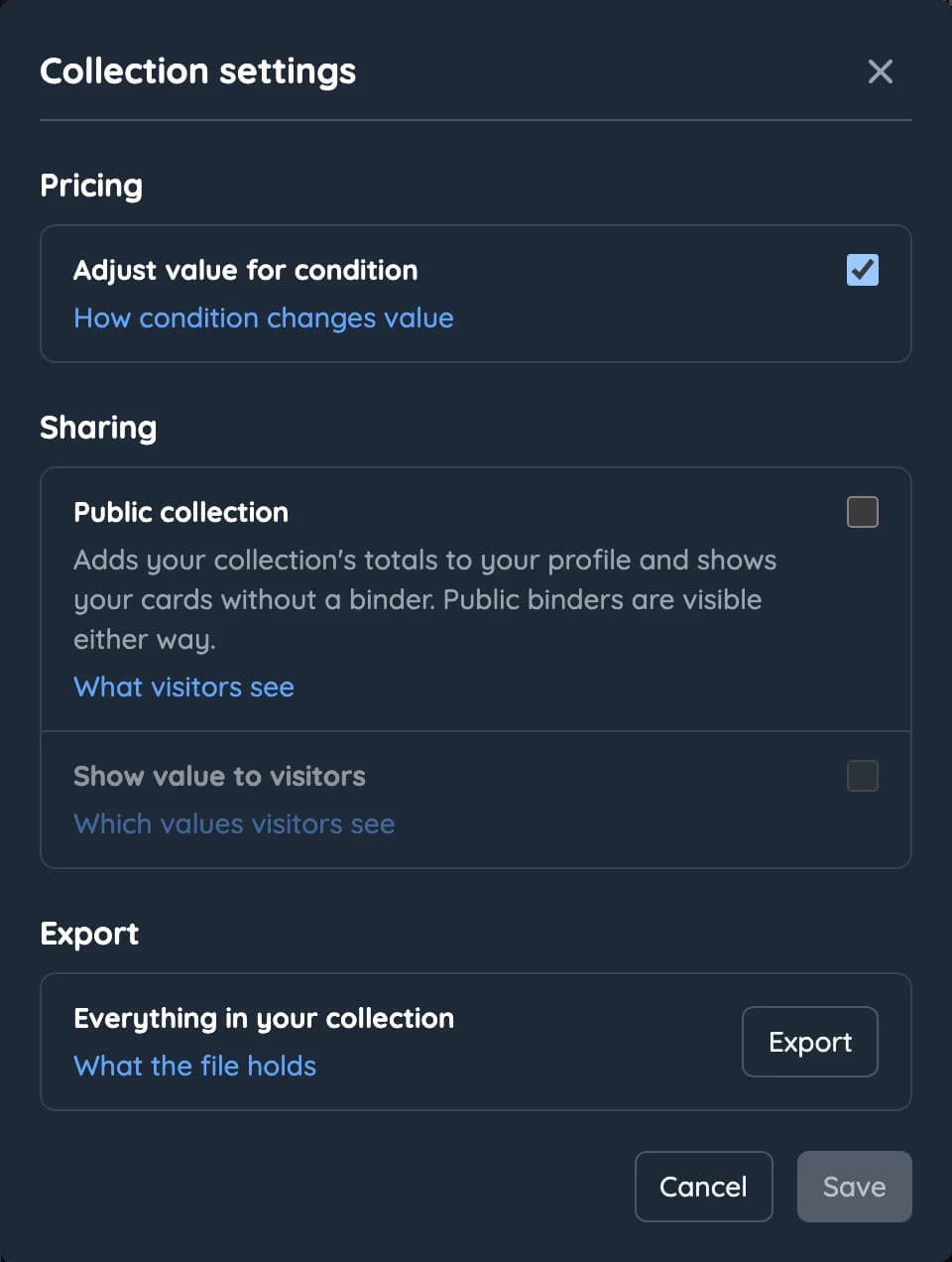
The Settings button on the Collection page opens the new collection settings.

These used to be options on every binder, and now they are set once for your whole collection:
- Adjust value for condition. Lower the value of played cards. If your binders had different settings, it now uses the setting of the binder with the most cards.
- Public collection. Your collection is private until you turn it on. When it's public, your profile shows your collection's card counts and a Browse all cards button, and other players can see your cards without a binder.
- Show value to visitors. Shows what your collection and each binder are worth. It only works while your collection is public.
- Export. One CSV file with everything in your collection, owned and sold cards. You can import it back into MythicHub.
Each binder still has its own visibility: public binders are listed on your profile, hidden binders open only from their link and private binders stay yours. A public binder stays public even when your collection is private, but it doesn't show its value.
Every collection starts private after this update. If your public binders showed their value before, make your collection public and turn on Show value to visitors to show it again.
Since you got it
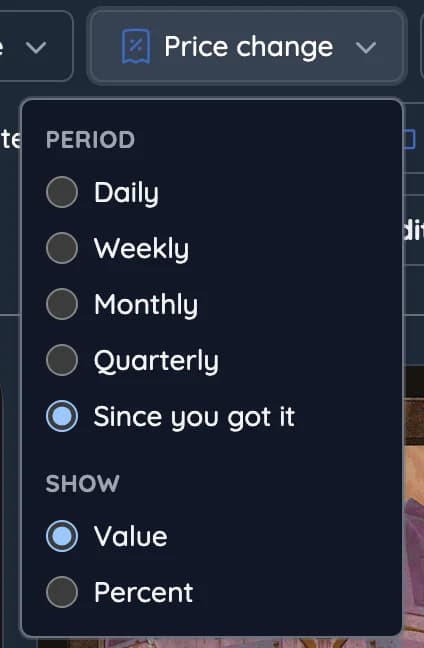
The Price change menu on your cards has a new option, Since you got it. It shows how each card's price changed since you bought it, using your purchase price. Cards without a purchase price use the market price from the day you added them to MythicHub. Only you see it, other players get the weekly change.
MythicHub also no longer fills in purchase prices for you. A purchase price is only what you enter or what your import file has, and the price from the day you added a card is shown separately as Price when added when you open it.
Thank you
Thank you to everyone who sent feedback and ideas about binders, tradelists and sold cards over the years!
If something in your collection looks off after the update, email me at matt(at)mythichub.com or use the feedback form. You can read more about everything in this post on the Collection binders help page.
Happy collecting!