Easier Imports and a Simpler Start

I recently spent some time looking at how people bring their collections and decks into MythicHub. Importing still needed too many steps, and the old onboarding checklist covered too many things at once. Before you could start using the app with your own cards, there was more setup than I wanted.
I made a few changes to help with that. You can now import a deck with a link, select multiple collection files in one import, and go through a shorter welcome page when you start.
Import decks with a link
You can now import decks with Moxfield, Archidekt, and ManaBox URLs. You no longer need to export a deck as text and copy the whole list just to bring it into MythicHub.
Open the deck import dialog, paste the link into the "Deck URL" field, and click "Load deck". MythicHub loads the deck and shows its details. You can review those details before importing it.
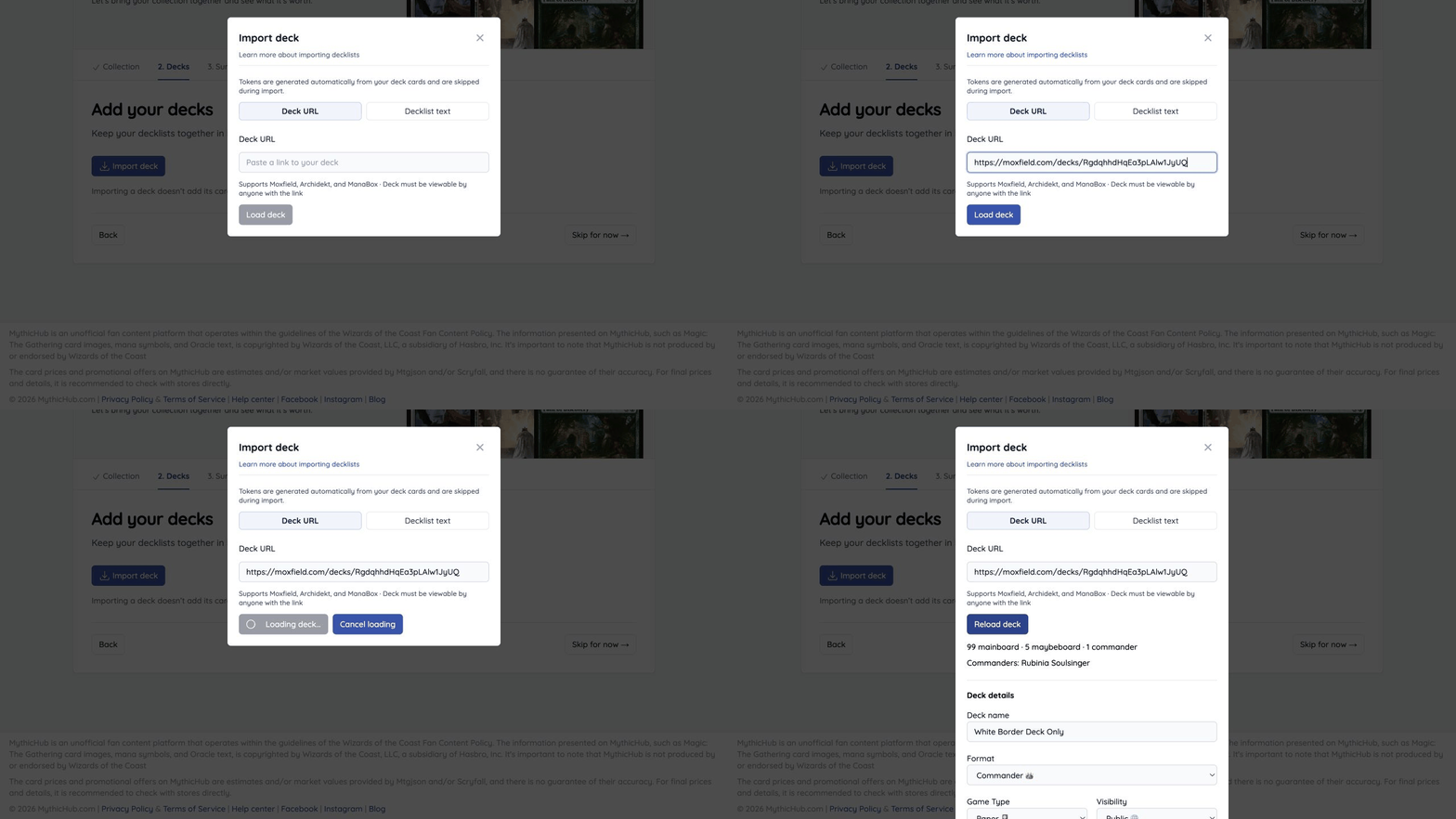
The deck must be viewable by anyone with the link. If it needs you to sign in on the original site, MythicHub cannot read it through the URL. You can still use the "Decklist text" tab to paste an exported list instead.
This is useful if you already build decks somewhere else and want to bring them into MythicHub. Copying a link is one less thing to figure out when you are trying the app for the first time. It also saves a few steps each time you bring in another deck.
Import multiple collection files
Collection imports now let you select several files at once, as long as they all come from the same source.
If you have several exports from ManaBox, for example, you can select them together in the collection import dialog. You do not need to repeat the import process for each file.
You can review the selected files and remove any you do not want before starting the import. Files from different apps still need separate imports, so a ManaBox export and a Moxfield export should not go into the same batch.
A simpler start
I also replaced the old onboarding checklist with a shorter getting-started flow. The previous version covered collections, decks, markets, and your profile. I wanted the first visit to focus on adding your collection and decks, so you have something of your own to work with.
The new flow has a collection step, a deck step, and a summary. You can import your collection, bring in your decks, and then open them from the summary. You can also skip either step or leave setup and explore MythicHub on your own.
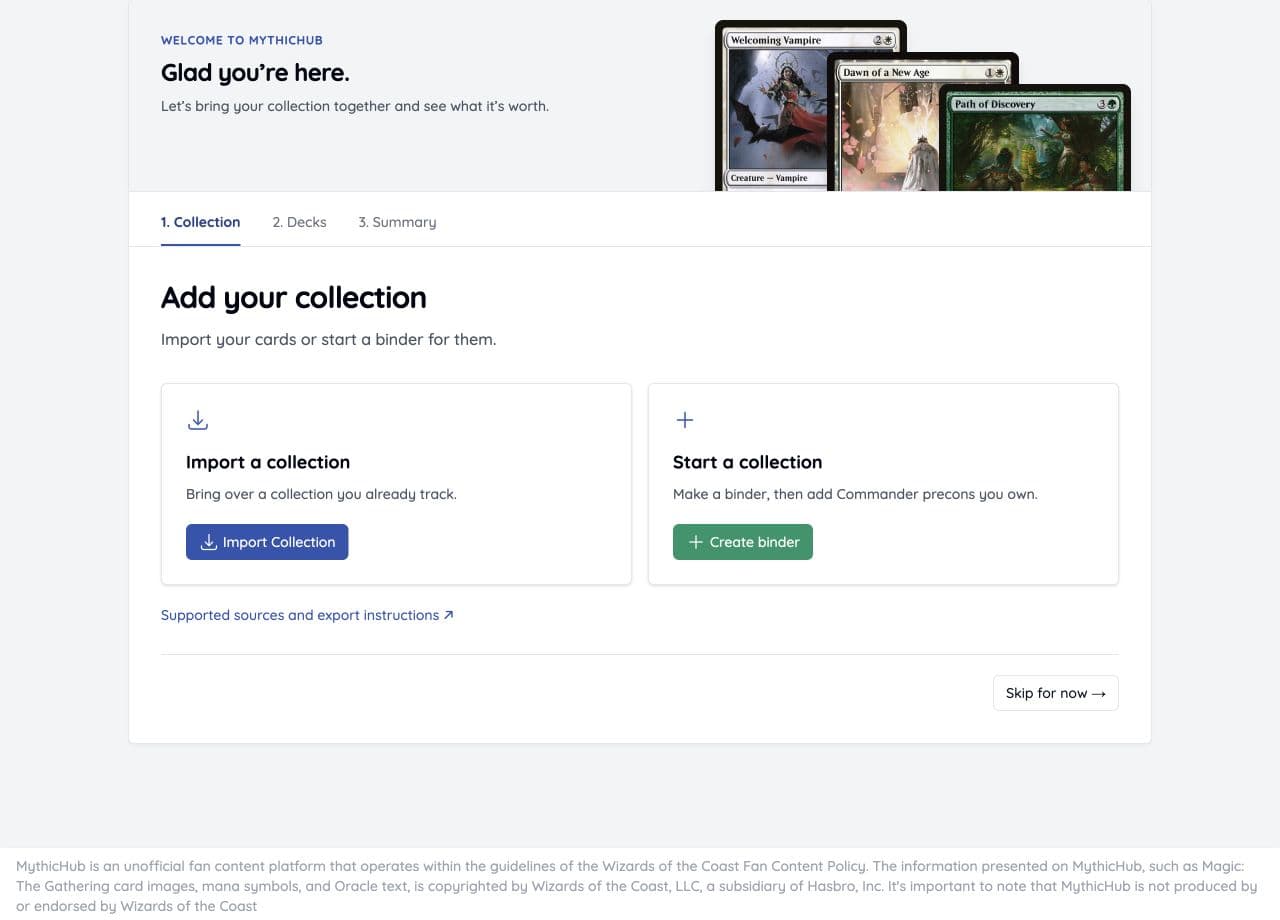
Market tools and profile settings are still there when you need them. They no longer take up space in the welcome flow.
Thanks
If an import does not work as expected, you can reach me at matt(at)mythichub.com or through the feedback form.