New Deck Customization Options

This update is based on Patreon feedback. Big thank you to Patron Erwin for the feedback and suggestions.
Recently I have been working on new deckbuilder customization options. These improvements let you customize your personal decks even more. Together with recent updates like deck folders, stacks layout, and collection status, I think the deckbuilder editor is getting very close to being a full solution.
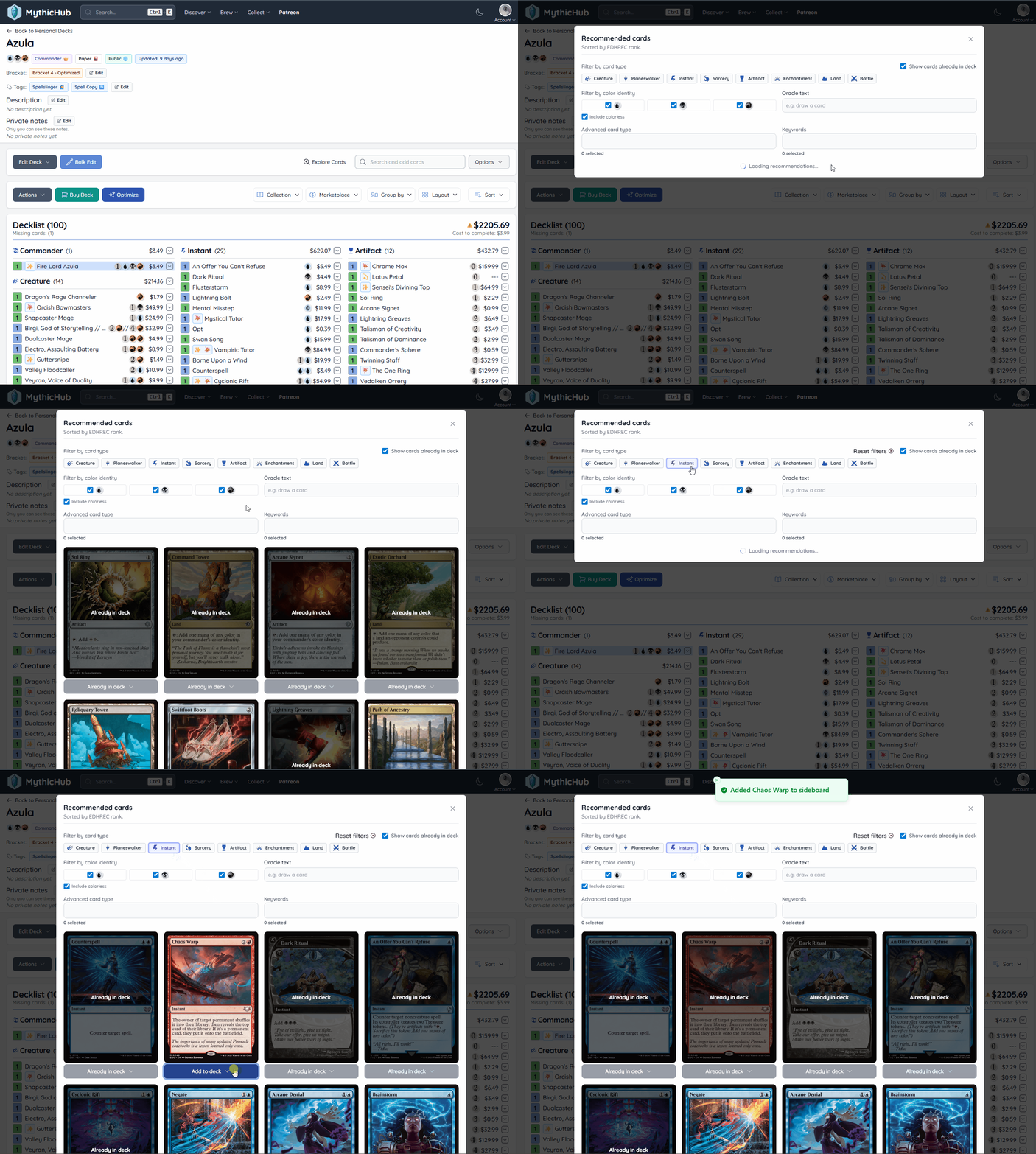
Explore recommended cards
A new tool in the deckbuilder is now available: Explore Cards. This feature helps you add commander staples and popular cards quickly. It has an easy-to-use UI with quick filters. You can filter by card type, color identity, keywords, or oracle text to find cards for your commander decks. You can also add recommended cards directly to mainboard, sideboard, or maybeboard.
I also improved the recommendation filters with better reset behavior and cleaner filtering controls, so it is easier to iterate when you are testing multiple ideas. This is not a tool to build a full deck from start to finish, but it gives a solid kickstart when brewing from scratch. At this time I still have limited access to EDHREC data, so this tool leans more toward strong commander staples than deep theme-specific recommendations.
Custom notes
It is now possible to add private notes to a decklist. There was already an option to add a description, but that one was visible to everyone (depending on deck visibility). Private notes are always visible only to the deck owner, so it is a great way to track your own thoughts about how the deck performed, what is missing, and what to test next.
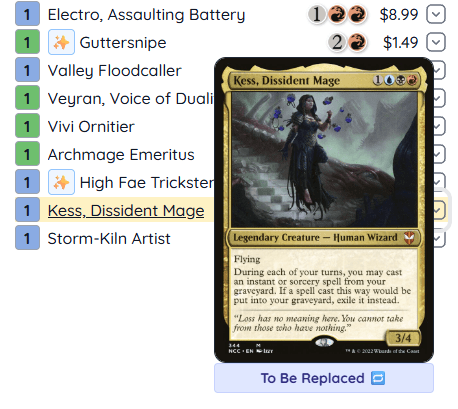
It is also now possible to add notes per card. If you want to be more specific and write down your thoughts about a single card, you can do that too. Notes are shown with a note emoji next to the card, and the note text appears on hover. This is a great way to track card-specific ideas. Do you want to replace that card? Did it underperform and need a review later? Card notes are public, so if your deck is public, other people will also see them.
Colors and tags
For a long time I was trying to figure out how to display tags correctly. Grouping cards by tag is still useful to see everything at a glance, but I never felt it should be the only way to view tags. In the end I decided to display tags similarly to notes, on hover. In table layout, tags are shown when hovering the card name, next to other card metadata. In other layouts it depends: some show an emoji and reveal tags on hover, and some do not show tags at all (like stacks). Initially I wanted every layout to always show every piece of information, but that created too much information at once. I am still not fully sold that this is the final answer, but I think it is an improvement over the previous approach.
It is now also possible to assign a highlight color per decklist card. Colors are displayed a bit differently depending on layout. In table layout, the row background is colored. In layouts that show full card images, the color is shown as a light overlay. Colors do not have built-in meaning, they are just another tool to combine with notes and tags. Is a card underperforming? Tag it as underperforming and set a yellow highlight. Planning to replace a card? Add a note and mark it red.
New layout - grid
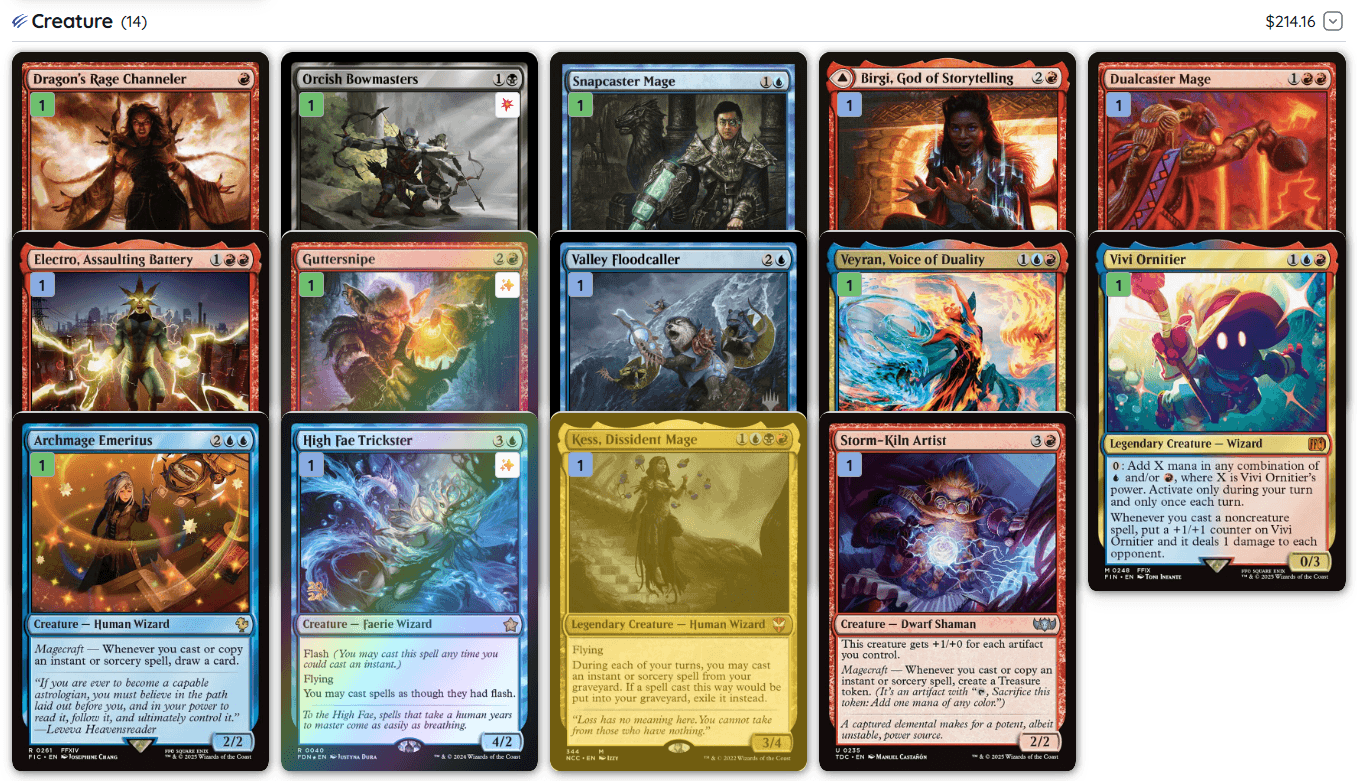
I added a new layout option called grid. It is a mix between image layout (full card image visible) and stacks. It shows the card art and has a slightly different way of displaying additional information. I felt adding one more layout option would be useful, so now you can pick whichever view works best for you.
Produced mana
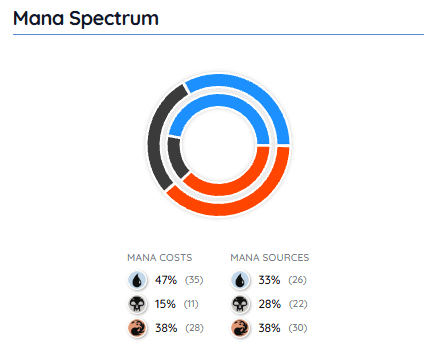
Last but not least, I updated the mana pie chart at the bottom of the decklist to include produced mana. Now it gives you a clear overview of both mana pips and mana producers per color.
Thanks
I am always looking for ways to improve and expand MythicHub. If you have suggestions for additional improvements or features, let me know!
Happy brewing!