Big Update: Explore Sealed Products

Sealed products are now supported on MythicHub!
I am very happy to finally share this update. I worked on sealed products for more than two months, and it took longer than I first expected. At the start it sounded simple. Add sealed products, show the price, show the image, done. My goal was to make exploring sealed Magic products as easy as possible. If you are looking at sealed Magic products, MythicHub should help you understand what the product is, what it costs, what can be inside, and how it connects to other parts of the app.
Magic has many different types of sealed products. And I had to handle them all differently, most importantly I needed to figure out how I wanted to handle them! A booster pack is not the same as a booster box. A precon is not the same as a Secret Lair drop. A bundle, a case, a prerelease kit, and a random older product all need different information to be useful. So this update became much bigger than just adding one more page.
Browse sealed products
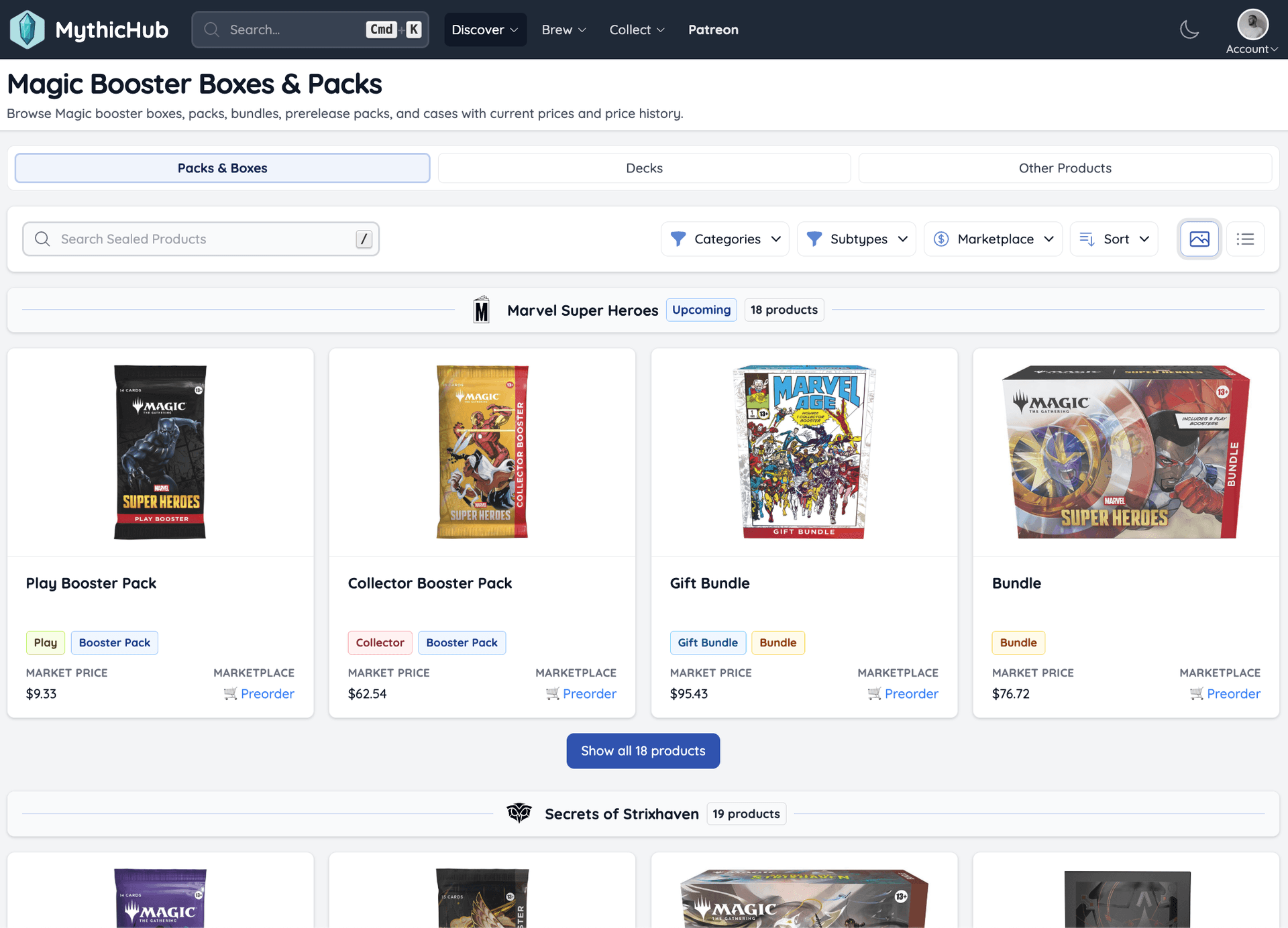
You can now browse sealed products from a few different pages. I split the pages into:
- Packs & Boxes - displays all the "main sealed products" like packs, boxes, bundles, draft nights etc
- Preconstructed Decks - this is a new way of browsing preconstructed decks, this one focuses on the sealed product aspect of decks, while the other one Commander Precons focuses on the Commander decks and their decklists
- Secret Lair Drops - shows Secret Lair drops with card images, prices, original sale price, and links to official pages when available
That split makes the pages easier to use. If you want booster boxes, you probably do not want to scroll through every Commander deck. If you want Secret Lairs, you care about a very different kind of product.
You can search, filter, sort, group by set, change the selected shop, and open a product page from the list. It works like the rest of MythicHub, but the page is focused on sealed Magic products instead of single cards.
Sealed product pages
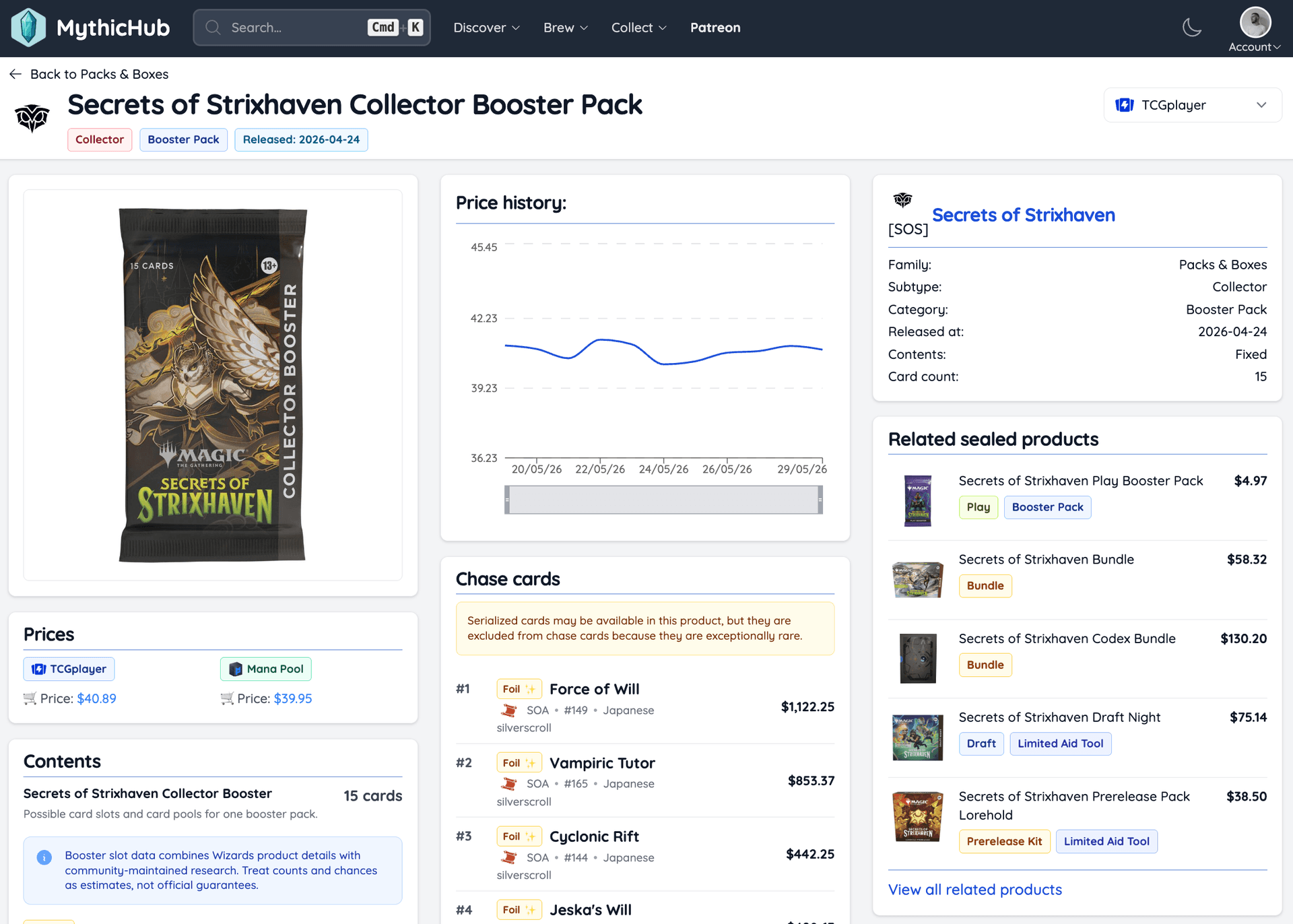
When you open a sealed product, the page brings the important things together. You can check the product image, current prices, price history, contents, chase cards, and other products from the same set when they are available.
For booster packs, MythicHub can also show possible card slots and card pools for one pack. Booster slot data combines Wizards product details with community-maintained research. Counts and chances should be treated as estimates, not official guarantees. Booster contents can be messy, and I do not want MythicHub to pretend that it knows more than it really does. But even estimated slot data is already much more useful than only seeing the name of the product.
For booster products, MythicHub also shows chase cards. This gives you a quick view of some cards that may matter most from the set or card pool. It does not try to tell you if opening packs is worth it. It just gives you a better starting point when you look at a sealed product and want to understand what the exciting cards are.
Prices from TCGPlayer and Mana Pool
Sealed product prices are now available from TCGPlayer and Mana Pool.
When MythicHub finds a matching product, you can see the current price and open the buy link directly. You can also switch between supported marketplaces, just like you can in other price views across the app.
Price history is supported too. Since sealed product prices are new on MythicHub, some charts will be quiet at first. They will become more useful as I collect more daily prices.
Better Secret Lair pages
Secret Lair pages also changed a lot.
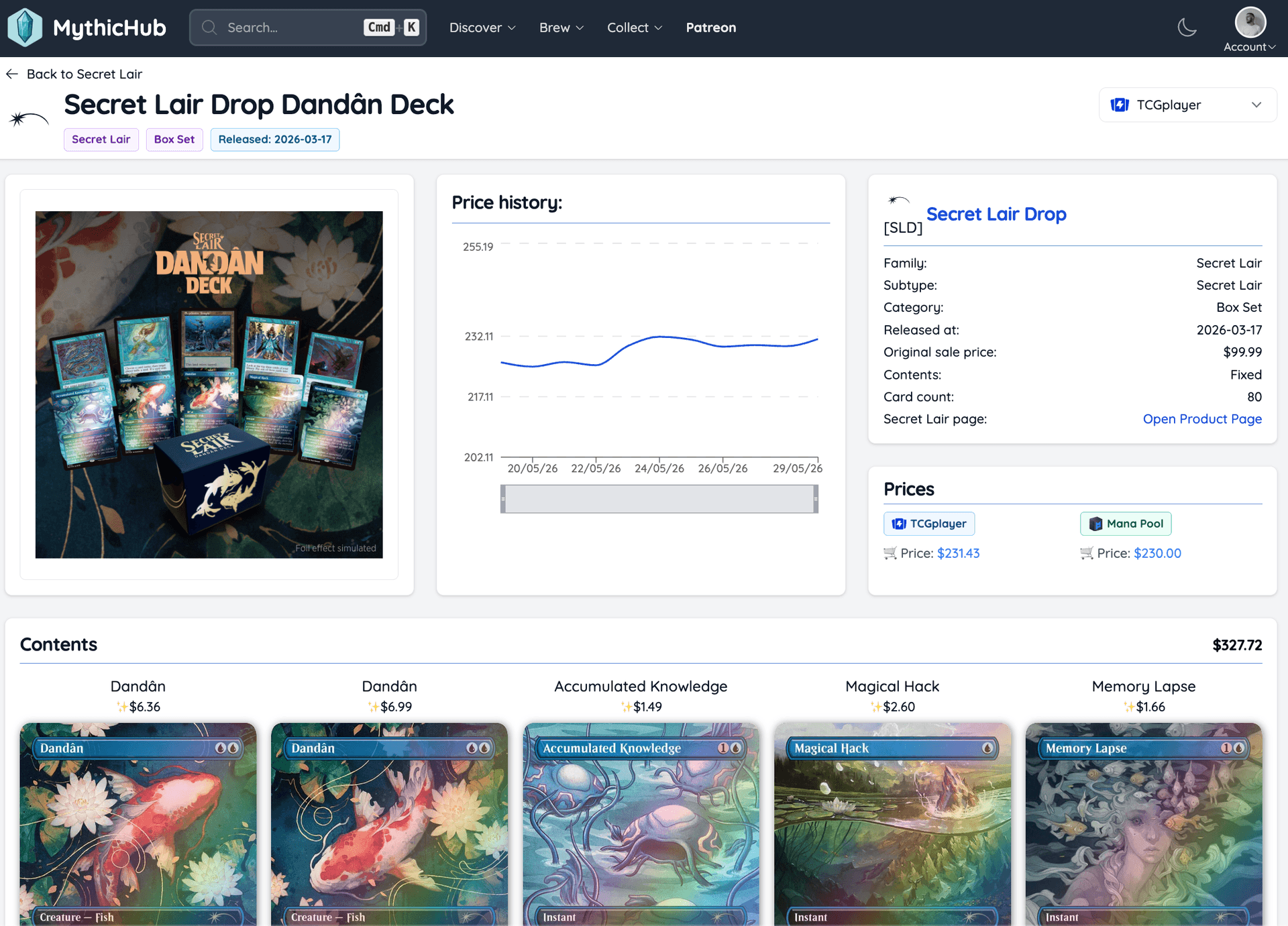
For Secret Lairs, the cards and art are usually the main thing you care about. The old layout did not really give that enough focus. The new pages show the cards more clearly, together with prices, price history, the original sale price, and a link to the official product page when MythicHub has it.
This makes Secret Lairs feel closer to how people actually look at them. You can scan the cards, check what the drop costs now, and compare that with the original price or current market price.
There is one part that still needs work. Many Secret Lair bonus cards are still missing. If you know a good source for Secret Lair bonus card data, please send it to me. I would love to improve this.
Precons and sealed products
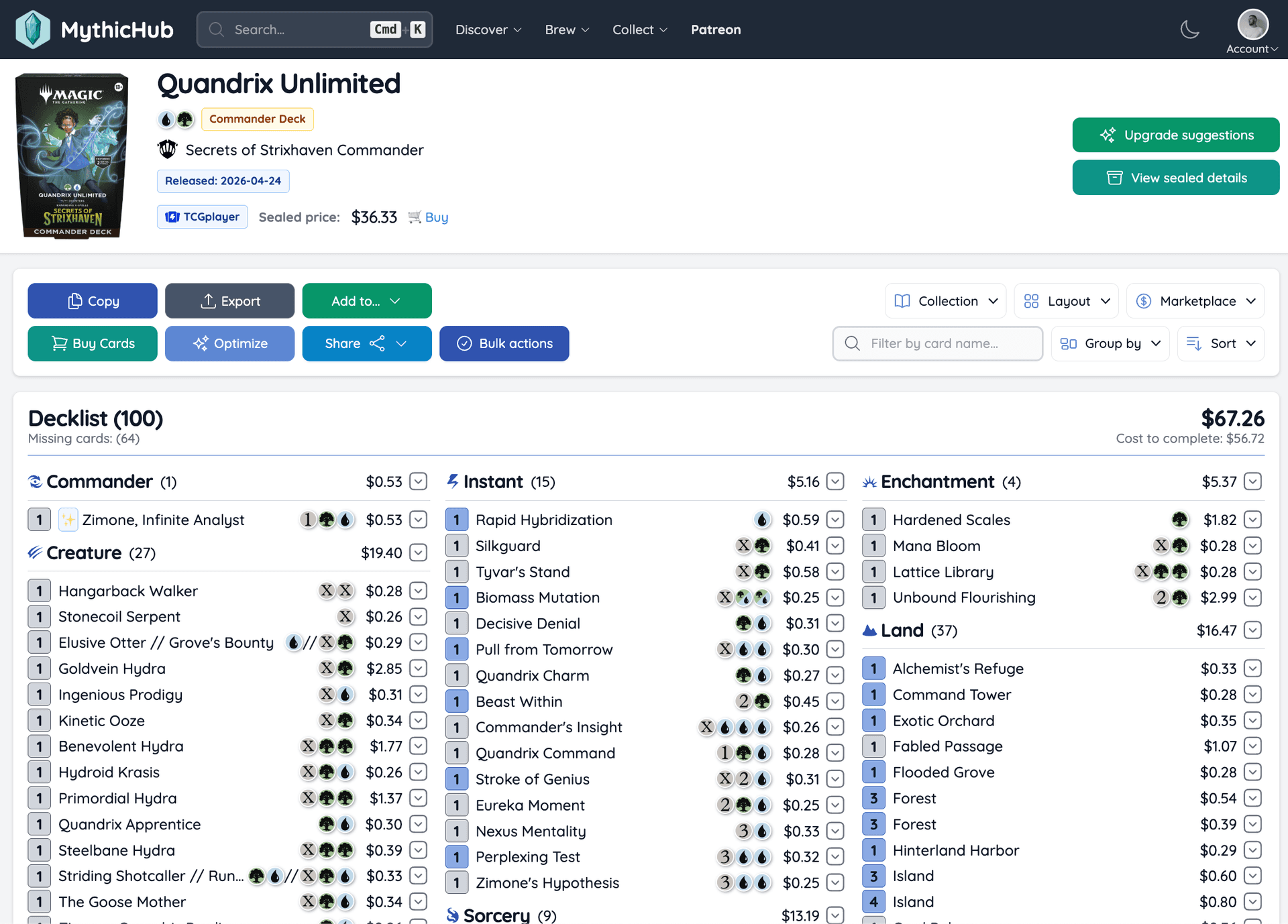
Precon pages now show sealed product information too.
When a precon has sealed product data, the page header will now show the sealed product details. Sometimes you want to look at the cards one by one. Sometimes you want to know what the boxed product costs right now. Now you can do both from the same page.
This also helps around new releases. Sometimes the sealed product exists before the full decklist is available. In that case MythicHub can still show the sealed product details while the decklist is still missing.
What comes next
The next thing I want to add is estimated contents value.
For fixed products, like many decks or bundles, this should be fairly direct. MythicHub can compare the sealed price with the current value of the cards inside. For booster products, it is harder. Every pack is different, so any number needs to be an estimate and it needs to be shown carefully.
I did not want to rush that into this release. First I wanted sealed products, prices, images, contents, Secret Lair pages, and precon links to be in place. Now that they are, sealed price vs singles value is the next big step.
Try it out
You can start with Packs & Boxes, browse Secret Lair Drops, or open a precon and check the sealed product details from the page header.
As always, if you have any feedback, please let me know!
You can reach me at matt(at)mythichub.com or through the feedback form.
Happy brewing!